HOME Pages
 The
Presidents 2013 Christmas Message
The
Presidents 2013 Christmas Message
Welcome to the Novemeber 2013 Main Meeting
For our final meeting for the year Alex arranged for Matt Hayer and his team from Dell to come and show us some of the new innovations on offer. > read more...

Welcome to the October 2013 Main Meeting
Tonight Alex gave us our first look at the new Leap Motion hands free device and a summary of the new Windows 8.1. > read more...

Welcome to the September 2013 Main Meeting
Tonight we looked at installing Soild State Drives and the new iPhone 5s. The new iPhone has finger print recognition software which Alex demonstrated; > read more...

Welcome to the August 2013 Main Meeting
Tonight we had the welcome return of David Hall from Symantec > read more...

Welcome to the July 2013 Main Meeting
Tonight Luke Coleman the Public Affairs and Communications Manager for Huawei, showed us the Ascend range of mobile phones including the P7, the world’s thinnest mobile phone. >read more...

Welcome to the June 2013 Main Meeting
Tonight we had a visit from Vodafone, and a look at their new 4G LTE network. >read more...


Welcome to the May 2013 Main Meeting
Tonight we opened Pandora’s box and it played Glenn Miller. >read more...

Welcome to the April 2013 Main Meeting
This month we had the chance to find out where we were going with TomTom Navigation >read more...

Welcome to the March 2013 Main Meeting
Tonight was our AGM and Ray Allum was elected as a new member of the committee. After the AGM and a lively Q&A we welcomed back Derek Austin from Nuance.>read more...

Welcome to the Feburary 2013 Main Meeting
 and
and

Miriam Romaniuk, the Director of Microsoft Products, came along to introduce us to the new Outlook.com and Mi9 - the joint venture between Microsoft and the Channel Nine group of companies. >read more...
Welcome to the January 2013 Main Meeting
Welcome to the first Main Meeting for 2013.
 and
and

Tonight we had a look at the Samsung Note 2 and reports from CES, the Consumer Electronics Show in Los Vegas.
Welcome to the November 2012 Main Meeting
Tonight was our last main meetings of the year and Derek Austin, Sales Director of Nuance Communications was going to present Dragon Dictate version 12. Unfortunately there was mix-up in the dates and Derek could not make it.>read more...
Welcome to the October Main Meeting

Tonight we had a visit from iWorld Accessories. iWorld has one of the largest
ranges of application driven hardware for the iPhone or Android Smartphones
or Tablets, available in Australia.
Chad DeClase was on hand to run us through the amazing variety of toys, games
and application driven devices iWorld have on sale.
>read
more...
Windows 8 was launched on Friday
The launch included the new Microsoft Surface tablet.
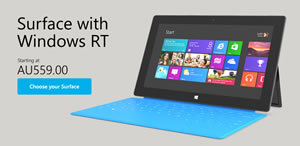
Microsoft has a pop up store at Westfield's Centrepoint on the level 2 concourse, Pitt St entrance, until Sunday the 4th November. For some reason the Surface is not available in stores yet, so this may be your only chance to have a hands on look at the Surface for some time. If you miss out, it will be on show at Westfield's, Parramatta from the Monday 5th November until Sunday 11th.
Welcome to the September Main Meeting
 &
&

Tonight Alex gave us a detailed look at the new iPhone 5 and the latest on Windows 8. >read more...
Robert's Website of Interest
Don't forget to check out Roberts Websites of interest for the month. They are under Members Favourites. >read more...
Welcome to the August Main Meeting
Tonight we were joined by Daniel Osborne from Trend Micro.

Welcome to our July 2012 Main Meeting.
Derek Austin, Sales Director of Nuance Communications bought us up to date with the latest enhancements of their well known Dragon Voice Dictation software at our July Main meeting. >read more...
Welcome to our June 2012 Main Meeting.
Tonight, Debbie Firth from Mr Mobile in Alexandria gave us a look at the latest gadgets for your mobile phones.

Welcome to our May 2012 Main Meeting.
Tonight Monty Hamilton, the head of Digital Operations for Telstra Digital

came up from Melbourne to discuss the changes to Telstra's web site and answer questions about the company.
Welcome to our April 2012 Main Meeting.
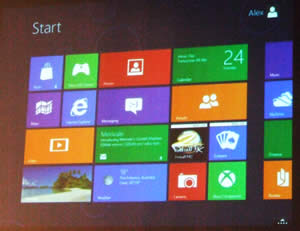
Tonight Alex gave us a round up on Windows 8 Consumer Preview and a good look at Apple TV.

Welcome to our March 2012 Main Meeting.
Tonight was our AGM followed by Richard Veale
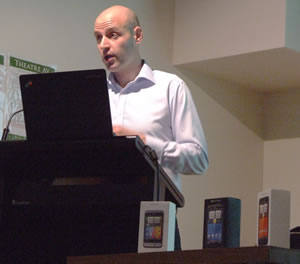
the National Training Manager for HTC. 
February 2012 Main Meeting

Tonight Matthew Ho from Asus showed us the latest in ultrathin laptops and tablets. >read more...
January 2012 Main Meeting
Alex was in Canberra this month so he joined us by Skype to conduct a lively Question and Answer session. >read more...
November Main Meeting 2011


Our final meeting for this year was a big one. MyNetFone returned to talk about VoIP and the NBN and our friends from Gap Marketing presented the Acer ultra thin Laptop and the Kingston range of secure USB keys. >read more...
New Constitution adopted at November meeting
At the Special General Meeting held prior to the November Main meeting, members unanimously voted to adopt a revised constitution. The new constitution includes recent Government changes to the "Associations Incorporation Act" plus some procedural changes to better reflect the club's current and future activities. You can download the club's new constitution from here.
October Main Meeting 2011
Tonight Western Digital

paid us a visit to demonstrate their innovative Multimedia Web TV technology. >read more
September 2011 Main Meeting

Tonight Alex introduced us to the Build conference for Windows 8 developers and programmers. > read more
August 2011 Main Meeting
 Following
up on her Windows Live Hotmail presentation in June, Mikaela Lancaster, Head
of Windows Live returned and brought Adam Ireland, Messenger Product Manager
along to tell us all about Windows Live Messenger 2011. >read
more
Following
up on her Windows Live Hotmail presentation in June, Mikaela Lancaster, Head
of Windows Live returned and brought Adam Ireland, Messenger Product Manager
along to tell us all about Windows Live Messenger 2011. >read
more
July 2011 Main Meeting
 Tonight Amaysim called in to show off their new mobile phone company. >read
more
Tonight Amaysim called in to show off their new mobile phone company. >read
more
June 2011 Main Meeting
 Tonight
NineMSN returned with an update on Hotmail Mikaela Lancaster, Head of Windows
Live and Mythili Thillainathan, Hotmail Production Manager gave the group
a good look at just how Microsoft’s old mail program has changed.
>read more
Tonight
NineMSN returned with an update on Hotmail Mikaela Lancaster, Head of Windows
Live and Mythili Thillainathan, Hotmail Production Manager gave the group
a good look at just how Microsoft’s old mail program has changed.
>read more
November 2010 Main Meeting

Tonight HTC came along to tell us about their range of smart phones running Windows mobile 7 and Android. >read more on these mobile phones.
August Main Meeting 2010

Tonight we had a real innovator in PC technology with us. Most companies have some claim to that but only Toshiba, with 25 years experience can claim to be the first company to market the laptop computer. >read more
July Main Meeting 2010

Tonight was our Annual General Meeting and after a short break, we had Samsung drop in to show us their range of laptops and netbooks. >read more
Two Valuable Offers For Members Only

 The
Sydney PC User Group is pleased to announce the generous offer of a 50%
cover-price discount negotiated for our members wishing to subscribe
to the popular Australian PC Authority or Atomic magazines
- home delivered.
The
Sydney PC User Group is pleased to announce the generous offer of a 50%
cover-price discount negotiated for our members wishing to subscribe
to the popular Australian PC Authority or Atomic magazines
- home delivered.
PC Authority provides the big picture on technology. Voted 'Best Personal Technology Coverage' at the 2009 IT Journo Awards, the comprehensive features and straight-talking reviews provide all the information you need to buy the right gear. Atomic is the only PC magazine for the computing elite, crammed with the info other tech magazines are afraid to report. Full of PC game reviews, hardware reviews, in-depth master classes, and the latest building and modding techniques
To take up these valuable offers, just click on the links above and fill in your details, including your unique membership number - DO IT NOW! - Not a member yet? No problem - get your Application Form here. Then enjoy all our club's benefits, happily knowing that either magazine's discount more than covers your annual membership fee.
June Main Meeting 2010


Tonight was all about power, portable and rechargeable power. Power Traveller and Power Mat will mean you need never run out of power again. >Read More
May Main Meeting
LogMeIn, software for remote users.

Tonight Matt Fleming, the Marketing Manager for LogMeIn, called in to demonstrate how useful LogMeIn remote control software is for the PC and the Mac >Read More
New Look Google Launched in May
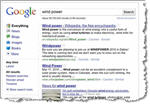 What's new and what's changed?
We've added contextually relevant, left-hand navigation to the page. This
new side panel highlights the most relevant search tools and refinements for
your query. Over the past three years, we've launched Universal Search, the
Search Options panel and Google Squared, and it's those three technologies
that power the left-hand panel. Read
more...
Dell reveals it's latest Notebook range at June Meeting
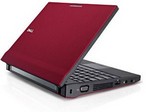 Michael
Townsend made a welcome return to demonstrate a number of Dell's latest,
compact, lightweight notebooks at our June Main Meeting. One, the Dell Latitude
2100 which makes an ideal low-cost entry to the growing school student market
was given a good workout. This new netbook has a sturdy rubberized design
that is easier for children to carry and comes in a variety of bright colours.
Michael
Townsend made a welcome return to demonstrate a number of Dell's latest,
compact, lightweight notebooks at our June Main Meeting. One, the Dell Latitude
2100 which makes an ideal low-cost entry to the growing school student market
was given a good workout. This new netbook has a sturdy rubberized design
that is easier for children to carry and comes in a variety of bright colours.
Graham Grant reports on the Tuesday Senior's Meeting
 Loopy IE, movie DVDs, file transfer between computers, Acronis, Humyo offers free online stotage, Magical Snap 2 screen capture and reducing spam emails were just some of the many topics discussed at this Meeting. Read the full report here...
Microsoft's Bing - a challenge to Google?
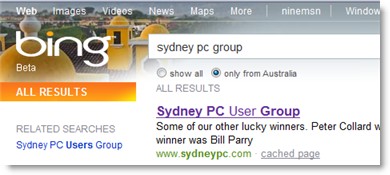 At the latest Friday Seniors' SIG, Colin Bolton presented an overview of Microsoft's new search engine "Bing". Though still in it's beta version, the consensus was that it seems to produce more specific results than Google. Microsoft claims it is increasingly capturing market share from Google. See the full SIG report incliding Colin's summary here...
October 2010 Main Meeting


This month we had two presenters Lloyd Borrett from AVG and Aston Mills and Steve Duncombe from Computer Choice magazine. >read more
September 2010 Main Meeting

Our friends Simon Bills and Sergey Zimm from Acronis returned this month to show the group the 2011 range of Acronis backup and security software. >read more
April 2010 - Main Meeting Report
 Tonight, Rene Sugo the Technical Director of My Net Fone dropped in to tell us about
VoIP or telephones over the Internet. >Read the full story...
Tonight, Rene Sugo the Technical Director of My Net Fone dropped in to tell us about
VoIP or telephones over the Internet. >Read the full story...
Work Ventures has set aside 60 laptops exclusively for ASCCA club members who have a Centrelink or DVA entitlement.
Greetings all,
WorkVentures has set aside 60 laptops exclusively for ASCCA club members, and the various options are summarised in the attached Word document.
Those who are interested need to contact WorkVentures' Call Centre on 1800 112 205. You must say that you are from an ASCCA club and remember there are only 60 of these laptops and it is a first in, first served basis. Emails to all clubs are going out at the same time. These laptops are available to clubs and/or to individual members who have a Centrelink or DVA entitlement.
regards,
Nan Bosler
ASCCA Working for Seniors
March 2010
Software, Gadgets and Good Advice
Tonight Alex was along to present a very eclectic range of interesting matters
including the trial version of Microsoft Office 2010 and Diskeeper disk optimising
technology.
> More
Build a Website with KompoZer ~ it's FREE ~ it's easy
 Peter Collard and Bob Backstrom recently presented their very professional, first installment tutorial on using KompoZer to create a website from scratch. It's interesting, it's educational and it's a lot of fun.
Go to the Web Design page, download the tutorial notes and enjoy creating your own webpage now!
Peter Collard and Bob Backstrom recently presented their very professional, first installment tutorial on using KompoZer to create a website from scratch. It's interesting, it's educational and it's a lot of fun.
Go to the Web Design page, download the tutorial notes and enjoy creating your own webpage now!
Welcome to 2010 and the first of our main meetings for this year.

We began this year with Acronis. Simon Howe, the Country Manager, and Sergey Zimin, their Senior Systems Engineer, came to demonstrate the Acronis PC Backup and Recovery software. > More
New Smartphone SIG
Friends, this is to introduce a NEW SIG -- the Smartphone SIG
The Smart Phone SIG will explore the capabilities of mobile phones with
soft/hard keyboards that connect to the internet, some having the power
of a PC (800MHz) from the year 2000.
We will use a set of work-in-progress criteria to compare these devices
eg. ease of use, reliability, speed, storage, power of operating system,
number of applications (office, camera, video, GPS, map navigation, music,
calendar, internet browsing, email), hardware features, price, plans from
communications vendors.
The SIG will look at how phones have become so powerful (technologies developed
in last 5-10 years), invite Vendors to supply new phones for trial, and
will have a segment inviting members to talk about their own phone, explaining
why they chose it, and the best and worst features.
The SmartPhone SIG will commence on Friday 19 March 2010 - 6pm - 8pm - 1st
floor, Sydney Mechanics' School of Arts, 280 Pitt Street, Sydney.
I'll be there and I hope you will be too.
Best wishes,
Warren
Best wishes to all our members.

2009 has been another good year and 2010 can be even better. We're doing well financially and enjoying great presentations at the main meetings. I'd like to see some new SIGs starting up, if the interest is there. My suggestion is a Smart Phone SIG. There are more and more of these phones coming out with built-in keyboards, which open up lots of possibilities
Do you have any thoughts on other new SIGs you'd like to see, or any other ways of adding interest or enjoyment?
On behalf of the committee I wish all our members a happy and safe festive season
Warren Wyllie
SPCUG President
December - Main Meeting
Considering it's closeness to Christmas, a surprising number of members turned up to our last main meeting for 2009. We started with a quick review of Robert's current favourite websites followed by an informative questions and answers session. Alex then gave an interesting review of the Windows 7 operating system that he has been trialing for some months now. From the numerous versions on offer, he explained versions selection options, depending on member's needs and whether to do an upgrade or go for a new installation. Alex also bought along some items which he generously donated as raffle prizes.
Then it was time to party!
Bill Parry had set up a nice selection of hot and cold nibblies plus a variety of fine wines for member's enjoyment. This was a great opportunity for all to fraternise with friends and to offer their good wishes for the festive season.
November Main meeting

David Hall was welcomed back this month to demonstrate Norton Internet Security
2010.
Read the review
GIMP 2.6 User Manual now available
 The GIMP documentation team has been working hard and is proud to announce the availability of the first release of the user manual for GIMP 2.6.
The release is split into several files that provide pre-built HTML per language. Because of a major change in how the manual is translated, most translations are work-in-progress and may contain untranslated strings. Fortunately, the English version of this powerful free imaging program is one of the first available. You can find the releases on our FTP server. The very comprehensive GIMP 2.6 manual can also be viewed online.
Windows7 Presentation

 Nick
Hodge from Microsoft spoke of the many improvements included in the recently
released Windows 7 operating system at our October Main meeting. As usual,
Nick came armed with a box of Microsoft 'goodies' which he donated as raffle
prizes. Read
the full story and meet more of the evening's lucky prize winners.
Nick
Hodge from Microsoft spoke of the many improvements included in the recently
released Windows 7 operating system at our October Main meeting. As usual,
Nick came armed with a box of Microsoft 'goodies' which he donated as raffle
prizes. Read
the full story and meet more of the evening's lucky prize winners.
Track down your stolen laptop with "Prey"
 Prey is a lightweight application for tracking your stolen laptop. It runs in Windows and *NIX systems as well (Mac, Linux). It is licenced by the GPLv3 which means you can do just about anything with it. Learn how prey can help you.
Our website passes the WAVE test
 WAVE is a free web accessibility evaluation tool provided by WebAIM. It is used to aid humans in the web accessibility evaluation process. Rather than providing a complex technical report, WAVE shows the original web page with embedded icons and indicators that reveal the accessibility of that page.
Our complete website was recently tested and after a few minor adjustments now passes this rigorous test. Aimed at improving internet access for people with disabilities, the WAVE web accessibility evaluation tool is available as an add-on for the Firefox browser.
Internet Explorer 8 now includes "Web Developer"
While similar tools were previously available as plug-ins for Firefox and Opera, the Web Developer tool now incorporated in the new Internet Explorer 8 will certainly be welcomed by web designers. Opened by function-key F12, the program reveals a raft of options for viewing page layouts, image information, CSS styles, etc. See further details on our Web Design page. Note: It seems our close attention to code validation has eliminated the IE7 / IE8 compatibility issues reported by some sites.
Site Search Test
Site search facilities are ideal for recalling topics like - top new software releases, solutions to computer problems or internet security issues, recently reported by our members. We have installed two search boxes on the right, each returning a different display format. Box #1 should return a link to every instance of your query with words of four or more letters residing on our server, while box #2 will display only those found by Google search-bots.
Try both - perhaps with a search for "security" or your name and tell us your preference and comments with an entry in our Guestbook. Please enjoy and share your search research.
Our Guestbook is back!
 Members will be pleased to know our Guestbook is back in operation. Though still in its simple form, members can now leave messages which may be viewed by all. Click on the Guestbook link above from any page to view the current massages, or follow the simple instructions to leave your own message. Why not try it now?
August Main Meeting Report
 ASUS was on hand to show their new range of laptops at our August meeting. See the full report and lucky prize winners here...
New computer arrives
First of all I would like to say thanks to those who turned up today and that after a small hiccup in the delivery of our new computer. It arrived and it is a really good system. A few of us who optimistically stayed around were able to check out the system generally and specifically by completing the Kaspersky installation and updating all the .dat files so that we were safe online.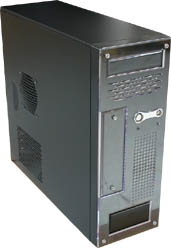
Then we checked out, downloaded and installed the WinXP updates that were applicable to our system. We still have to get Acronis or Ghost to image our system both in WinXP and Win7 before we install too much more stuff.
The new computer, built to club's specifications and the envy of many includes the latest high performance X58 LGA1366 GIGABYTE motherboard, an Intel i7-920 2.66GHz quad core processor, 6 Gb 1.333 MHz DDR3 RAM, two x 1000Gb Seagate SATA hard drives and lots more. Perhaps we can show it off at the next main meeting. It looks really good!! B Parry
Access your computer remotely with LogMeIn
Seth Shaw from LogMeIn gave an extensive presentation of the LogMeIn products at our last Main Meeting and also donated five LogMeIn Pro licences for members to enjoy. Seth took us through the "ins & outs" of LogMeIn Pro and showed us how limitless the applications of his software are. Because it enables remote access it can be used by every piece of hardware that connects to the internet. Read the full story...
Corel introduces Home Office for just $99
 Corel® Home Office is a fresh, new office suite for word processing, spreadsheet and presentation projects. Designed to make working at home simple, Corel Home Office features a clean interface and Tabbed Toolbars that put essential tools at your fingertips. Microsoft® Office compatibility and built-in PDF publishing make it easy to share files and information. Enjoy doing it all in a workspace that you customise yourself so you feel comfortable instantly. Learn more about Corel Home Office.
Firefox 3.5 released 30 June
 Firefox 3.5 is based on the Gecko 1.9.1 rendering platform, which has been under development for the past year. Firefox 3.5 offers many changes over the previous version, supporting new web technologies, improving performance and ease of use. One of the best new features is speed with Mozilla claiming that Firefox 3.5 is more than twice as fast as Firefox 3. Read more and download Firefox 3.5 now.
Access to site widens
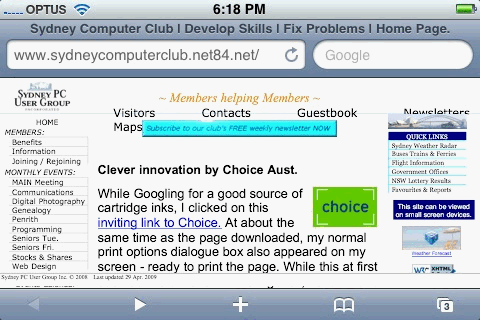 Those switched-on members with the latest handheld computers and mobile phones can now view this site without the need for continuous horizontal scrolling to see the full width of the page. And the small screen display is much clearer than the highly compressed screen-capture image from an iPhone suggests. You can also zoom into any items of interest for a closer look if you wish.
Now, when you are away from you main computer, you can click-on to check weather forecasts, view the latest news updates or connect quickly to any of the familiar "Quick Links" on your favourite SIG page. There are also hundreds of interesting links and SIG reports accessible from the "Favourites" button.
This site is also now backwards compatible to allow viewing by those who are slower to embrace change and are still using an old Internet Explorer 6 browser. Perhaps it's a good time for updating to either IE 7 or IE 8.
Toshiba release their Mini-Notebook NB200
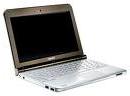 With the current trend towards smaller, lighter and stronger notebooks, Toshiba has just released their new Mini-Notebook NB200. Read more...
No more forgotten Names
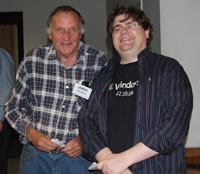
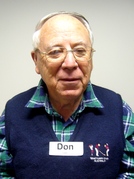 At the latest Digital Photography meeting, members trialled the latest large print name tags. With First names set in 72 point bold text on disposable labels, members' names were easily identified across the room.
The next version may be a more permanent clip-on model and include our club's logo. These could be kept at the club for use at all meetings to help promote a friendlier atmosphere. Retired teacher and keen photographer Don Estell who regularly travels to meetings from Wollongong models the new large print name tag.
Clever innovation by Choice Aust.
 While Googling for a good source of cartridge inks, I clicked on this inviting link to Choice. At about the same time as the page downloaded, my normal print options dialogue box also appeared on my screen - ready to print the page. While this at first seemed like a clever marketing trick, I soon found I couldn't scroll or read much of the page content without moving or deleting it. Perhaps some would find this feature useful, but I think many would soon find it irritating if it appeared on every site. Still it's a clever innovation at this stage. Click the link to see if it works for you. jl
Microsoft Unveils Exchange 2010 With Public Beta
 Exchange 2010 is part of the next wave of Microsoft Office-related products and is the first server in a new generation of Microsoft server technology built from the ground up to work on-premises and as an online service. This release of Exchange 2010 introduces a new integrated e-mail archive and features to help reduce costs and improve the user experience. A public beta of the server is available for download starting today at http://www.microsoft.com/exchange/2010.
Exchange Server 2010 will become available in the second half of 2009. Microsoft Office 2010 and related products will enter technical preview in the third quarter of 2009 and become available in the first half of 2010.
"Exchange 2010 ushers in the next generation of Microsoft unified communications software as the first server designed from inception to work both on-premises and as an online service," said Rajesh Jha, corporate vice president of Exchange at Microsoft. "This release raises the bar with new archiving and end-user innovations that will help companies save money and employees save time."
Our latest Membership Drive was an enjoyable success.
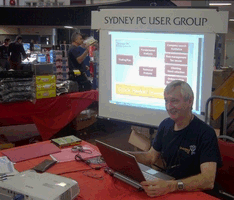 Once again our "Membership drive" exhibit at the University of NSW computer fair on Sunday 29 March was well supported by our members. Arriving throughout the day, they were kept busy handing out newsletters, adding potential members to our mailing list and answering a myriad of questions. Fortunately, our numerous experts and gurus were able to provide suitable solutions to most queries. The photo shows Bill Parry offering even more good advice, with our club's continuous PowerPoint presentation providing an appropriate promotional backdrop.
All members seemed to enjoy the experience and it often seemed there may have been a new "Exhibition SIG" in progress. It was also observed that our members went home with even more bags of bargains on this occasion than from our first exhibit. Thanks again to all members who were able to give a hand towards this important event. jl
Sennheiser's leadership is sound
 Innovation and know-how, those are the hallmarks of one of the world's leading companies in the area of electro-acoustics. From individual audio products to complete system solutions ? Sennheiser electronic has the knowledge and the experience to lead the way in the constantly developing audio market. Read more...
Google's new "Chrome" browser shines!
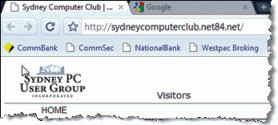 Google, with so many popular applications now online, has just released its own browser named Chrome. As you might expect from any Google application, Chrome has a clean, simple look but is user friendly and gets the job done fast. Downloading and installing Chrome is quick and you have the option of importing all your settings and favourites from your current browser as you go. Naturally, you are encouraged to use Chrome as your default browser, but it's up to you.
Chrome has just two narrow fixed bars at the top of the page, leaving a large page viewing area. The first bar displays the tabs of your home and selected pages - just click the plus symbol to open another tab or the X to close one. The next bar presents a combined address & search box with buttons for page back & forward, reload and bookmarks to the left. On the right side is a button which opens page controls and one to customize Chrome and that's all. An optional third bar (as shown) conveniently displays links to your chosen websites and a single button on the far right takes you to your "Other bookmarks"
Chrome is an open source application, just out of its beta testing so is certain to improve as time goes on. While it boasts speed, safe browsing and dynamic tabs that learn your web surfing habits, it currently lacks some of the advanced, desirable features of browsers like Firefox and Opera. At 8.5 MB, Chrome file size is a relative light weight compared to Internet Explorer 7 or 8 which are both around 14.8 MB. If you like fast, clean and simple, download Chrome and give it a try or watch video highlights here. jl
Firefox3 - The best ever?
 After months of testing, Firefox 3 is available for download from Mozilla. With its new Gekko 1.9 engine, the browser rocks, rendering pages faster and uses fewer system resources overall. Firefox 3 touts faster rendering, a vastly reduced use of system resources, and clever new data-mining tools for your bookmarks and browser history. Most notable is that Firefox 3 includes many security-related features baked right in, such as the best of breed antiphishing protection, making Firefox the most secure browser on the market today.
If you haven't already tried Firefox, what are you waiting for? Firefox 3 remains our Editors' Choice over Microsoft Internet Explorer and Opera.Firefox 3 is free, and available on a variety of operating systems: Windows, Mac, and Linux. There are also a wide variety of localized language versions, including Basque and Byelorussian. Unlike IE 7, Firefox 3 does not require a system reboot.
The good: Firefox 3 claims faster rendering, vastly reduced use of system resources, new data-mining tools for your bookmarks and more security features than any other browser.
The bad: Firefox 3 will no longer support Windows 95, 98, and Me; same with Mac OS X, versions 10.2 and earlier.
The bottom line: If only for the speed, lightness of being, and security alone, Firefox remains our Editors' Choice for best Internet browser.
Source & download: http://reviews.cnet.com
The latest Flash Drives
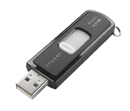 Flash drives, also called flash keys, pen drives, or thumb drives, are computer memory devices that are extremely compact. They consist of a USB connector integrated with a controller and flash memory card only about 1cm square. Capacity now ranges between 2GB (costing as little as $10) and 16GB (for around $90). Some high-end personal devices, such as the iPod MP3 player, can hold 60GB of data.
Some vendors are taking USB flash drives to new levels of productivity. A common example is the "computer-on-a-stick," often taking the form of a flash drive that allows its user to carry around and instantly create a powerful, secure PC. Modern flash drives are claimed to be secure, waterproof and fast, with data transfer rates of up to 25MB/sec. read and 18MB/sec. for writing.
Typically, a 8GB SanDisk Cruzer includes U3 technology so you can carry your files and software on a secure USB drive. You can have your wallpaper, preferences, favorites, profiles, and more - everything you need for a familiar computing experience on any PC, wherever you go. Additional software includes Skype, CruzerSync, Avast, SignupShield and HP Photosmart.
Light-weight Eee PC from ASUS
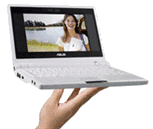 The Eee PC is a revolutionary Mobile Internet Device that offers many of the advantages of mobile computing: making it easy to learn, easy to work and easy to play. The Eee PC features:
- 7" compact design and only 2lb
- Durable, shock-proof solid-state design
- Rich network and wireless connectivity
- Graphic user interface for simplicity and ease of use
- Over 40 built-in applications for learn, work and play
Visit http://event.asus.com/eeepc/microsites/en/index.htmfor more details.
Internet Explorer 7 adds Silverlight
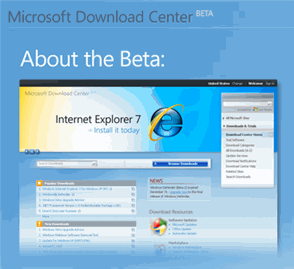
New cross-platform user experiences deliver media experiences and rich interactive applications for the Web that incorporate video, animation, interactivity, and stunning user interfaces.
Seamless, fast installation for users, thanks to a small, on-demand,easy-to-install plug-in that is under 2 megabytes (MB) in size and works with all leading browsers.
Consistent experiences between Windows-based and Macintosh computers without any additional installation requirements.
Create richer, more compelling Web experiences that take greater advantage of the client for increased performance.
Stunning vector-based graphics, media, text, animation, and overlays that enable seamless integration of graphics and effects into any existing Web application.
Enhance existing standards/AJAX-based applications with richer graphics and media, and improve their performance and capabilities by using Silverlight.
Add StumbleUpon toolbar to your browser
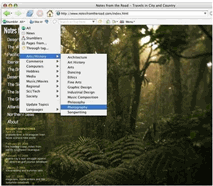 StumbleUpon discovers web sites based on your interests, learns what you like and brings you more. With StumbleUpon you can also connect with friends and share your discoveries, meet people that have similar
interests, and check out what other people are discovering.Version 3.010 may include unspecified updates, enhancements, or bug fixes.
StumbleUpon discovers web sites based on your interests, learns what you like and brings you more. With StumbleUpon you can also connect with friends and share your discoveries, meet people that have similar
interests, and check out what other people are discovering.Version 3.010 may include unspecified updates, enhancements, or bug fixes.
Introducing SearchReviews!
We are really excited about this announcement. We have been hearing great feedback from you about our SearchReviews feature that has been in beta, and allows you to see StumbleUpon ratings layered on your
searches on the major engines - Google, Yahoo, Ask & more. This feature helps you discover great websites whether you are pressing the Stumble button or searching the web. Today we are officially launching
SearchReviews for both Firefox and Internet Explorer, and announcing some really cool enhancements.